Introduction
If you've ever connected an LLM to your own documents, knowledge base, PDFs, support tickets, or internal business data, you've probably heard the term RAG.
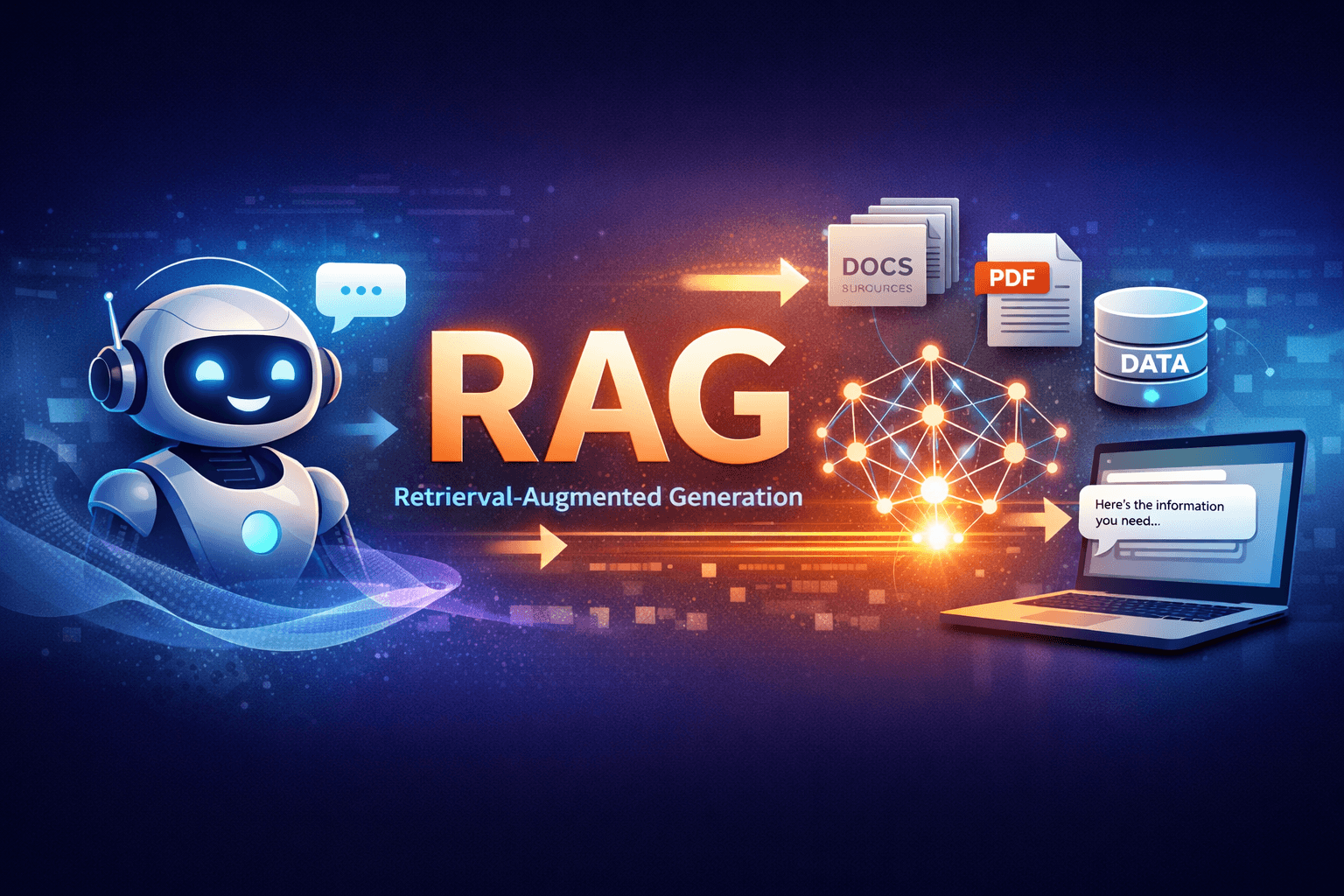
RAG stands for Retrieval-Augmented Generation. In simple words, it means: instead of asking a model to answer purely from what it already knows, you first retrieve relevant information from your own data, then pass that context into the model so it can generate a better answer.
This is one of the most practical patterns in modern AI development because it solves a real problem: LLMs are smart, but they don't know your business data by default.
In this guide, we'll break down what RAG actually is, how it works, why it matters, and how to build it properly in production without falling into the usual traps.
What Is RAG, Really?
At a high level, a RAG system combines two things:
- Retrieval – find the most relevant data from your knowledge source
- Generation – ask the model to answer using that retrieved data
Instead of sending a question directly to an LLM like:
What is our refund policy for enterprise customers?a RAG system does something smarter:
- Search your docs or database for the refund policy
- Extract the most relevant chunks
- Inject those chunks into the prompt
- Ask the model to answer only from that context
That's the core idea.
Why RAG Matters in Real Products
RAG isn't just a cool concept. It's the reason many AI products are actually useful in production.
- Customer support bots that answer from help center articles
- Internal assistants that search company SOPs, HR docs, or sales playbooks
- Legal or compliance tools that answer from uploaded contracts
- Medical research assistants that cite documents and papers
- SaaS copilots that understand tenant-specific data
- Document Q&A over PDFs, spreadsheets, and knowledge bases
Without retrieval, the model either guesses, gives generic answers, or confidently makes things up. With RAG, the model has a source of truth.
The Core Problem RAG Solves
LLMs have three major limitations in product development:
- They don't automatically know your private or latest data
- Their training data can be outdated
- They can hallucinate when context is missing
Fine-tuning can help in some cases, but it's often overused. If your goal is:
- Use changing business data
- Search private documents
- Answer from live knowledge sources
- Keep answers grounded in source content
then RAG is usually the better first choice.
How RAG Works (Step by Step)
A typical RAG pipeline looks like this:

- Ingest data – PDFs, docs, FAQs, DB rows, tickets, wiki pages, etc.
- Clean and normalize – remove noise, extract useful text, preserve structure
- Chunk the content – split long text into smaller searchable pieces
- Create embeddings – convert chunks into vector representations
- Store in a vector database – Pinecone, Weaviate, pgvector, Qdrant, etc.
- Embed the user query – convert the question into a vector
- Retrieve top matches – find the most relevant chunks
- Optional reranking – improve relevance before generation
- Build the prompt – include retrieved context + user question
- Generate answer – the model responds grounded in that context
A Simple Mental Model
Think of RAG like this:
- Vector DB = searchable memory
- Embeddings = meaning-based search representation
- Retriever = finds the best memory
- LLM = turns that memory into a useful answer
The LLM is not the database. The LLM is the reasoning + response layer.
This is where many teams go wrong early on. They try to make the model “remember everything” instead of designing a solid retrieval pipeline.
RAG vs Fine-Tuning
This is probably the most common question developers ask.
Use RAG when:
- Your data changes frequently
- You need answers from private or tenant-specific content
- You want source-grounded responses
- You need traceability or citations
- You want faster iteration without retraining models
Use Fine-Tuning when:
- You want the model to follow a specific style or format consistently
- You need domain-specific behavior patterns, not just factual retrieval
- You want structured output improvements across repeated tasks
- You have stable training examples and a clear evaluation process
In practice, many production systems use both:
- RAG for factual grounding
- Fine-tuning for behavior, tone, or task specialization
The Most Important Part: Chunking
If you build RAG long enough, you'll realize something funny: your retrieval quality often depends more on chunking than the model itself.
Bad chunking = bad search = bad answers.
Bad Chunking Looks Like:
- Splitting in the middle of sentences
- Breaking tables or lists into meaningless fragments
- Chunks that are too large and contain multiple unrelated topics
- Chunks that are too small and lose context
Better Chunking Strategy:
- Chunk by heading or semantic section
- Keep related paragraphs together
- Preserve metadata like title, section, source, page number
- Use overlap between chunks (for example 50–150 tokens)
For most document-heavy apps, a solid starting point is:
- Chunk size: 300–800 tokens
- Overlap: 50–150 tokens
But don't treat this as magic. Test it against your actual data.
Embeddings: The Search Layer That Actually Matters
Traditional keyword search is exact-match based. Embeddings are different: they help you search by meaning.
For example:
User query: "How do I cancel my annual plan?"

Relevant doc text: "Subscription termination policy for yearly billing customers..."
The words don't match exactly, but the meaning does. That's where embeddings shine.
Good embedding quality directly affects retrieval quality. If your search layer is weak, your model won't have the right context no matter how powerful it is.
Choosing a Vector Database
You don't always need a fancy dedicated vector database on day one.
Popular options:
- pgvector (PostgreSQL) – great if you're already using Postgres and want simpler infra
- Qdrant – fast, developer-friendly, excellent for production
- Pinecone – managed and easy to get started with
- Weaviate – strong ecosystem and flexible search options
- Milvus – powerful for large-scale vector workloads
For many SaaS products, PostgreSQL + pgvector is a very practical starting point. Especially if you already run a Postgres-backed app and want to keep ops simple.
Basic RAG Flow in Code (Pseudo Example)
Here's the simplest version of what a RAG request flow looks like:
async function answerQuestion(question) {
  // 1. Create embedding for the user query
  const queryEmbedding = await embed(question);

  // 2. Search vector DB for similar chunks
  const chunks = await vectorSearch(queryEmbedding, {
    topK: 5,
  });

  // 3. Build context from retrieved chunks
  const context = chunks.map(c => c.text).join('\n\n');

  // 4. Send grounded prompt to the model
  const prompt = `
You are a helpful assistant.
Answer only from the provided context.
If the answer is not present, say you don't know.

Context:
${context}

Question:
${question}
`;

  // 5. Generate final response
  return await generate(prompt);
}
This is the bare minimum. Production-grade RAG usually adds:
- Metadata filtering
- Hybrid search (keyword + vector)
- Reranking
- Access control
- Citations
- Conversation memory rules
- Evaluation and monitoring
RAG in a Multi-Tenant SaaS (Very Important)
If you're building SaaS products, especially multi-tenant systems, this part matters a lot.
Every retrieved chunk must be scoped correctly.
Just like you protect relational data with tenant_id, your RAG system must also enforce
tenant-aware retrieval.
Example Metadata Per Chunk
- tenant_id
- document_id
- source_type (faq, policy, pdf, ticket, wiki)
- visibility (public, internal, admin-only)
- department (support, hr, finance, legal)
If you skip metadata filters, you risk cross-tenant leakage, which is a serious security issue.
In other words: multi-tenant RAG without strict retrieval filters is not production-ready.
Why Metadata Filtering Is Not Optional
Vector similarity alone is not enough.
Let's say two tenants both upload documents about “invoice policies”. If your retriever only searches by similarity and ignores tenant filters, the wrong tenant's document could be included in the prompt.
That is not just a bug. That's a data isolation failure.
Always combine vector search with hard filters like:
{
  tenant_id: currentTenantId,
  visibility: 'internal',
  source_type: ['faq', 'policy']
}
Hybrid Search: Often Better Than Pure Vector Search
Pure semantic search is powerful, but it's not always enough.
For technical docs, APIs, product names, SKUs, legal clauses, or exact policy terms, keyword matching still matters.
That's why many strong systems use hybrid search:
- Vector search for meaning
- Keyword / BM25 search for exact terms
- Merge results for better recall
This usually gives much better results than relying on embeddings alone.
Reranking: The Upgrade Most Teams Add Too Late
Top-K retrieval gets you candidate chunks, but not always in the best order.
Reranking is the step where you take the retrieved chunks and run a second pass to sort them by true relevance to the user query.
Why it matters:
- Reduces noisy context
- Improves answer precision
- Helps when documents are long or repetitive
- Lets you pass fewer, higher-quality chunks into the prompt
If your RAG answers feel “kind of close but not exact”, reranking is often the missing piece.
Prompting for RAG: Keep It Strict
Good retrieval can still be ruined by sloppy prompts.
Your prompt should clearly tell the model:
- Use only the provided context
- Do not invent missing facts
- If the answer is not in context, say so
- Optionally cite sources or document names
You are a support assistant for our platform.
Answer only using the provided context.
If the answer is not clearly present, say:
"I couldn't find that in the current knowledge base."

Include the source title if available.
Simple beats clever here.
Common RAG Mistakes Developers Make
- Using bad chunks – this is probably the #1 issue
- No metadata filtering – dangerous in SaaS or private systems
- Too much context in the prompt – noisy context hurts accuracy
- Blindly taking top 10 chunks – more is not always better
- No evaluation pipeline – you need measurable retrieval quality
- Ignoring citations – users trust answers more when sources are visible
- Using RAG when SQL or structured querying is better – not everything should go through embeddings
When RAG Is the Wrong Tool
This is important.
RAG is powerful, but developers sometimes force it into problems it shouldn't solve.
RAG is often the wrong choice when:
- You need exact numeric answers from structured tables
- You need transactional operations (create, update, delete)
- You need strict business logic enforcement
- You already have relational data that should be queried with SQL
Example:
- “What is our refund policy?” → good RAG use case
- “How many active invoices are overdue this month?” → better as SQL or analytics query
In real systems, the best products often use:
- RAG for unstructured knowledge
- SQL / APIs / tools for structured data and actions
Production Architecture You Should Aim For
A clean production-ready RAG stack often looks like this:
- Frontend – Next.js chat UI or assistant interface
- Backend API – Laravel, Node.js, FastAPI, or similar
- Document ingestion pipeline – upload, parse, clean, chunk
- Embedding worker – background jobs for indexing
- Vector store – pgvector, Qdrant, Pinecone, etc.
- Metadata store – Postgres for document ownership, tenant mapping, permissions
- Retriever layer – hybrid search + filters + reranking
- LLM layer – grounded prompt generation
- Observability – logs, traces, latency, answer quality checks
A Practical Example: Support Bot for a SaaS Product
Let's say you're building a support assistant for your SaaS.
Your data sources might be:
- Help center articles
- Feature documentation
- Release notes
- Pricing pages
- Internal troubleshooting docs
User asks:
"How do I transfer ownership of a workspace?"RAG flow:
- Embed the question
- Search support docs
- Filter only published support content
- Rerank top 8 chunks into top 3
- Prompt the model with those 3 chunks
- Return answer + source links
That's a real, high-value use case. Clear ROI. Easy to explain. Easy to measure.
How to Evaluate a RAG System
If you're serious about shipping RAG, don't just test it manually and call it done.
You need evaluation at two levels:
1. Retrieval Quality
- Did the right chunks get retrieved?
- Was the correct source present in top 3 or top 5?
- How often does retrieval miss the answer entirely?
2. Answer Quality
- Is the answer correct?
- Is it grounded in retrieved content?
- Does it hallucinate beyond the context?
- Is the answer concise and useful?
Build a small benchmark set of real user questions and expected source documents. That alone will make your RAG system 10x better than “we tried it a few times and it seemed okay”.
Best Practices for Production RAG
- Start with a narrow use case first
- Design chunking carefully before scaling
- Always store useful metadata
- Use hard permission filters before vector search results are used
- Prefer hybrid retrieval for technical or exact-match-heavy content
- Add reranking when quality matters
- Return citations or source references whenever possible
- Track failed answers and feed them back into evaluation
- Keep ingestion asynchronous with queues/jobs
- Separate document ownership from retrieval logic
Final Thoughts
RAG is one of those concepts that sounds complicated at first, but once you build it, it feels very logical.
You're not trying to make the model magically know everything. You're building a system where the model can look things up first, then answer intelligently.
That's the difference between a flashy demo and a product that people actually trust.
If you're building AI features for SaaS, internal tools, document search, customer support, or private knowledge systems, learning RAG is absolutely worth it.
And if you're building multi-tenant products, remember this: retrieval must be treated like data access, not just search.
Done right, RAG can turn a generic chat interface into something genuinely useful, accurate, and grounded in real business data.
Conclusion
Retrieval-Augmented Generation is not just another buzzword. It's the practical foundation behind many of the most useful AI applications being built right now.
The real work isn't just calling an LLM API. The real work is in:
- good data ingestion
- smart chunking
- strong retrieval
- metadata filtering
- secure access control
- clear evaluation
If you get those parts right, the model becomes dramatically more reliable.
Thinking about building a document-aware chatbot, internal AI assistant, or tenant-safe RAG system for your product? Let's build something solid together.